Showing posts with label PDA. Show all posts

Friday, July 18, 2008

Opera Mobile 9.5 launched Delay

Opera has posted online the reason why Opera Mobile 9.5 launched Delay.Opera Mobile 9.5 should be release on 14 July.
Opera press release:
As you can imagine, we encountered a few bugs last week that we needed to fix before we launch. Our engineering team worked through the weekend to fix the bugs. Even though our release is a beta, we’d rather spend the extra time to fix them, thus giving you a better experience. The fixes are almost complete now, but we need two more days to run the build through our quality assurance testing. The new launch date is now set for the 17th.


Opera Mobile 9.5 - ZerOne Magazine
We’re disappointed to delay, but fixing these bugs will improve the experience with our beta and let you fully test the browser.

While Opera Mobile is a commercial version, you can also take a look at the free Opera Mini- a nice java version of internet browser.”

Monday, July 14, 2008

i-mate ultimate 9502 Review

i-mate ultimate 9502 - ZerOne Magazine
This is the new smartphone, i-mate, vendor from Dubai for the beginning introduction they was launched 4 new cell phones in the multimedia class.One of them is i-mate ultimate 9502, that is the smart cell phone that had the screen sliding with qwerty keyboard.The series ultimate 9502 were a based Windows for Mobile 6 that was supplemented with several features that stood out, one of them is the wide screen 2.8 inch (touchscreen), with 640 x 480 pixel (the VGA resolution).Through PT Kahar Duta Sarana as the official distributor, i-mate offered the innovative solution, like technology custom i-Q and Secure i-Q to lock and remove the data in Ultimate equipment, if being lost or being stolen.His method with log-in direct to the site i-mate

“Hole” Concept Phone Designed for Orange is a Winner

This interesting design won the annual D&AD Student Awards and the concept handset belongs to Chi Shing Lo, one of the talented students at the De Montfort University. The “Hole” phone features (predictably enough) a hole, that can be used for charging purposes (inductive), as a data transfer port and last but not least as a camera view finder.
Hole Phone orange - ZerOne Magazine
The above-mentioned hole is surrounded by a mirrored surface, so it’ll allow the user to take his/her own picture, for the usual narcissistic fun. Hmmm, how about using that hole as magnifying glass with the aid of a lens or as a wrench if your imagination is wild enough.

Oh and by the way, the handset was designed for Orange so that’s a semi-promise that it’ll become real one day.

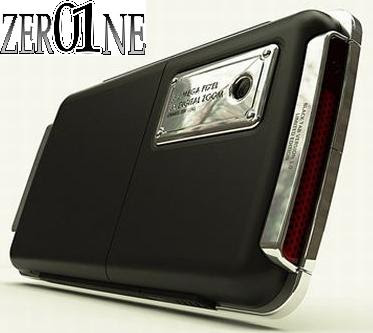
Basic Tab Phone Design Challenges the iPhone

Basic Tab mobile phone - ZerOne Magazine
The Basic Tab mobile phone design manages to achieve a new interpretation of the whole “iPhone thing”, copied over and over again by big handset manufacturers. Its designer, Jaren Goh focused more on looks, than on futuristic specs and he did a splendid job, so we might as well call this a fashion device.
Basic Tab mobile phone - ZerOne Magazine
Just look at the wide black screen at the front of the Basic Tab phone, a tad more elegant than Apple’s approach. Notice that the display is placed on top of a metal part and it gets a bit of RAZR aggressiveness going on. In case you’re not convinced that this is really a fashion phone, you should check out the camera’s metallic tab at the back. Precious, just precious…


Basic Tab mobile phone - ZerOne Magazine

Monday, May 19, 2008

HTC’s Advantage X7510 will not be headed to the US

HTC’s Advantage X7510  - ZerOne Magazine

While the Advantage X7510 from HTC is without a doubt a sleek looking device, its one that us here in the US will just have to continue to read about. It seems that the Qualcomm chipset that is used in the X7510 is not allowed to be sold in the US, which means that unless you want to spend a fortune by getting one imported yourself, its just not going to happen. We can only hope this will change in the future, but until then we are simply out of luck.

Thursday, May 15, 2008

What You Can Do With Wi-Fi In Your iPhone,iPod ?

iPhone - ZerOne Magazine
Wirelessly download music from the iTunes Wi-Fi Music Store; surf the Web; check e-mail; find locations using Google Maps.

What We Like
The iPod touch is the most feature-packed PMP on the market, and delivers a lot of what makes the iPhone so compelling. This Wi-Fi device deliciously recreates the desktop browsing experience with Safari, and the multi-touch display makes it easy and fun to zoom in on photos and Web pages, as well as scroll through photos and albums. We also dig the Weather and Stocks widgets.

We were able to read the latest headlines at CNN.com in just 15 seconds (the page loaded completely in just more than 40 seconds), wirelessly download Michael Cera and Ellen Page’s “Anyone Else But You” over the air in 31 seconds, and enjoy The Irate Gamer’s latest videogame rants on YouTube (albeit with some minor buffering).

With the January software upgrade ($19.99), the iPod touch got even better with rich HTML Mail and Google Maps, which uses Skyhook Wireless’ triangulation technology to pinpoint users’ current locations.

What We Don’t
No over-the-air video downloads or Flash support.

Verdict
The iPod touch makes the most of its Wi-Fi functionality, making it the crown jewel of wireless PMPs.

Blackberry 9000 Review and Specs

Blackberry 9000 - ZerOne Magazine
Blackberry 9000 is smartphone with great features. Blackberry 9000 has integrated with Tri-band HSDPA,full Qwerty Keyboard,1 GB internal memory.and more.the ability of Blackberry 9000 is good and has fast internet connectivity.
The screen of Blackberry 9000 is very clear with 480×320 resolution.although only equipped with camera 2 MP this cell phone has good image result even in dark place.This is easy to connect the internet via GPRS and HSDPA we can check email and browsing as we like.if we want to see video online we can use online video streaming. Blackberry 9000 has integrated with great software such as Speaker Independent Voice Recognition,DataViz,Roxio Photosuite, and more.
Blackberry 9000 will sell for range $300-$500 with 2 years contract.you can find at AT&T or T-mobile and will be available at june.Blackberry 9000 Specification:
Tri-band HSDPA
integrated GPS
Wi-Fi® (802.11 a/b/g)
satin chrome finished frame
stylish leather-like back plate (back-cover are available)
full-QWERTY(i) keyboard
624-MHz Marvell Tavor PXA930 processor
1 GB on-board storage memory with encryption
microSD/SDHC memory card slot
half-VGA (480×320 resolution) color LCD
browser with trackball
support for watching streaming videos (RTSP - real-time streaming protocol)
2 megapixel camera with built-in flash and 5x digital zoom
video recording
USB 2.0 with cable
Bluetooth® 2.0,
support hands-free headsets
stereo headsets
car kits (including car kits that adhere to the Bluetooth Remote SIM Access Profile) and other Bluetooth peripherals
support for polyphonic, mp3 and MIDI ring tones
travel charger
carrying case or sleeve
1500 mAhr battery
talk time of approximately 5 hours
13 days standby time.

HTC Touch Diamond with Cradle Desktop


HTC Touch Diamond has new device called Cradle Desktop.with this device you can charge your HTC Touch Diamond and listen music at the same time.

Sunday, May 11, 2008

Motorola Q9c and Samsung Glyde Available At Verizon

Motorola Q9c and Samsung Glyde - ZerOne Magazine
Motorola Q9c and Samsung Glyde is now available at verizon wireless.
both of them will be available started today.
Samsung Glyde sliding cell phone form factor that equipped with WQVGA touchscreen,QWERTY keyboard,Bluetooth,microSDHC slot,GPS and more.
Motorola Q9c is a PDA phone using windows for mobile 6.1 as operating system.
Motorola Q9c very suitable for businessman because has equipped with office.
Motorola Q9c will be sale for $299.99 with 2 years contract and Samsung Glyde will be sale for $299.99 with 2 years contract.

Saturday, May 3, 2008

Asus P320 Windows Mobile PDA Phone - Page 2

Of course, the P320's Bluetooth connectivity means you needn't completely forget the idea of using the phone for serious work. One of Windows Mobile Professional's biggest selling points is that you can create, edit and save Microsoft Office documents, and with the right add-ons, this phone can still be a powerful tool - though you may get a crick in your neck peering at that tiny screen.

Asus P320 Windows Mobile PDA Phone - ZerOne Magazine

Elsewhere the P320 is not the most powerful device, however. It's a quad-band GSM phone, so it'll work pretty much anywhere you can get a mobile phone signal, but there's no HSDPA - just GPRS. It has just a 2-megapixel camera with no flash or self-portrait mirror too. And though Windows Mobile 6.1 helps it a little, the core components aren't the quickest: the OMAP850 200MHz processor chugs occasionally when launching applications, and the 64MB of RAM isn't the most generous in the world.

It's not as bad as it could be, though; help is at hand in the shape of a useful extra application called Auto Cleaner. This allows you to force Windows to remove applications from the memory when you press the X in the top right of the Window, instead of keeping everything minimised and slowing the phone to a crawl. Usefully, you can set some apps up to be exempted from this regime, so you can keep Windows Media player running, at all times if you want.


There are other notable features, too, some added by Asus, some courtesy of Windows Mobile 6.1. The latter is responsible for the Getting Started Centre, which provides handy shortcuts to important setup items such as email, date and time, and Bluetooth headset. There's threaded SMS, again; a new WMP 6.1 feature . Don't expect anything swanky like the iPhone's speech bubbles - all Windows Mobile does is group messages to and from specific recipients, a bit like Google Mail - but it is a useful addition. Google Calendar sync has also been preinstalled, as has Voice Commander (speech dialling and phone control software), and some handy additions to the device's phone functionality in the shape of a call filter and profile setup and selection tool.


Verdict


It all goes together to make a well-rounded smartphone that's just about the most pocketable Windows Mobile PDA phone you're likely to come across. Unfortunately, though, there's no getting around the fact that the P320's small screen makes using Windows Mobile Professional even more fiddly to use than it normally is. But if you don't mind getting the stylus out occasionally and want the push email and office document features of a Windows Mobile device without the bulk, it's a very solid option. And the inclusion of a GPS receiver in a device this small is just the icing on the cake.

Asus P320 Windows Mobile PDA Phone - Page 1

Design 7/10
Features 7/10
Performance 7/10
Value 7/10
Overall 7/10

While the rest of the mobile phone industry has been producing ever slimmer and sexier handsets, so-called 'smart' phones have struggled to keep up. Hampered by the need for usability (yes, I know it sounds silly), practicality and power - and the fact that Windows Mobile doesn't work that well on small screens - most smartphones have traditionally tended to be on the pocket-stretching side.


That is beginning to change, though. The Palm Centro recently demonstrated that you can fit a usable QWERTY keypad on a device that doesn't require a belt clip to carry it around, and I liked the Asus M930, a beautifully-designed clamshell phone based on Windows Mobile Standard, again with a full QWERTY keyboard, but still small and sexy.


But nothing I've yet seen quite beats Asus' latest, and most exciting, PDA-style handset for sheer pocketability. The Asus P320 measures a mere 100 x 55mm and is 13.4mm slim. It weighs just 105 grams, too, which makes it the smallest, lightest Windows Mobile Professional device I've ever come across. It's more compact even than the HTC Touch and Glofish X600 - even my small hands look gorilla-like in the presence of this dainty device. Amazingly, given such diminutive dimensions, the P320 also includes a GPS receiver, so you can add full in-car sat-nav via the microSD slot on the side if you want. There's also a Wi-Fi adaptor packed in somehow


Asus P320 Windows Mobile PDA Phone - ZerOne Magazine

Of course the tiny dimensions do have their drawbacks: you'll not be wanting to type out any seriously long emails using this phone - there's no sliding keyboard, no hardware number pad, and not even any enhancement to the useless on-screen Windows Mobile keyboard. And Windows Mobile's small check boxes and skinny scrollbars are even less usable on a 240 x 320 screen that measures just 2.65in diagonally.


But Asus has made an effort here to mitigate such restrictions. As well as including the latest version of Windows Mobile Professional - version 6.1 - the P320 is equipped with Asus' own Today Screen enhancements which, like the HTC version and SPB's excellent Mobile Shell software, include weather information, plus quick access to other commonly used functions. In this case, you get an attractive snapshot of calls missed, voice messages left, and email plus a scrolling ticker of either recent emails, text messages or RSS feed news stories - the latter supplied via the bundled Newstation RSS tool. Plus there's the obligatory over-sized digital clock and alarm display. Asus has also included its own finger-friendly launcher software that allows you to initiate, if not operate, many of the P320's applications and settings without recourse to the stylus, which is tucked away in a slot at the top left of the chassis.


The phone's physical controls work well. Under the screen on the front there's a clickable five-way thumb control - nothing fancy, but it does the job - and this is surrounded by a familiar-looking array of Windows Mobile smartphone buttons. Here you get Start, ok, pick-up and hang-up keys, plus a couple of hardware soft buttons atop the cluster. I liked the fact that the P320 has a proper lock and unlock switch on the side: it's much more effective and reliable than simply relying on the power button, which can easily be pressed by accident, or an on-screen method to lock the phone, as is the case with most other Windows Mobile devices

ZerOne Magazine ZerOne Magazine